
Docker 容器中 Golang 可执行文件为什么会在启动后立即挂起?
在 Docker 容器中,使用 Golang 构建的可执行文件在启动后立即挂起的原因通常是由于以下原因: * 可执行文件没有显式打印换行符,导致缓冲区不刷新。 * 可执行文件在容器内部进行网络请求时使用了不正确的 URL,因为它指向的是本地主机,而不是运行容器的主机。
我目前正在 macos 上使用 golang 开发一个小型应用程序,它在本地运行得很好。
我从头开始制作的 dockerfile 制作了一个 docker 映像。
我的问题是,当容器启动时,它会无限期地挂起,docker 不会绑定端口,但我仍然可以进入容器内部。
以下是容器内正在运行的进程:
/go/src/app # ps
pid   user     time  command
    1 root      0:00 ./main
   13 root      0:00 sh
   23 root      0:00 ps
这是我的 docker-compose:
version: "3.3"
services:
  dns:
    build:
      context: .
    ports:
      - "53:53"
这是我的 dokerfile
from golang:alpine


run apk add git
workdir /go/src/app
copy . .
run go get -d -v
run go build main.go
run chmod +x main

expose 53/udp
expose 53/tcp

cmd ["./main"]
来自 docker 尝试启动容器的日志:
building dns
step 1/10 : from golang:alpine
 ---> 813e7bfc1890
step 2/10 : run apk add git
 ---> using cache
 ---> b796ecde3d09
step 3/10 : workdir /go/src/app
 ---> using cache
 ---> cf5226146d6c
step 4/10 : copy . .
 ---> e5fd26e9ade8
step 5/10 : run go get -d -v
 ---> running in ac4c1fe7dd41
github.com/gojektech/heimdall (download)
github.com/gojektech/valkyrie (download)
github.com/pkg/errors (download)
github.com/stretchr/testify (download)
github.com/davecgh/go-spew (download)
github.com/pmezard/go-difflib (download)
github.com/stretchr/objx (download)
get "gopkg.in/yaml.v3": found meta tag get.metaimport{prefix:"gopkg.in/yaml.v3", vcs:"git", reporoot:"https://gopkg.in/yaml.v3"} at //gopkg.in/yaml.v3?go-get=1
gopkg.in/yaml.v3 (download)
github.com/miekg/dns (download)
get "golang.org/x/crypto/ed25519": found meta tag get.metaimport{prefix:"golang.org/x/crypto", vcs:"git", reporoot:"https://go.googlesource.com/crypto"} at //golang.org/x/crypto/ed25519?go-get=1
get "golang.org/x/crypto/ed25519": verifying non-authoritative meta tag
golang.org/x/crypto (download)
get "golang.org/x/net/ipv4": found meta tag get.metaimport{prefix:"golang.org/x/net", vcs:"git", reporoot:"https://go.googlesource.com/net"} at //golang.org/x/net/ipv4?go-get=1
get "golang.org/x/net/ipv4": verifying non-authoritative meta tag
golang.org/x/net (download)
get "golang.org/x/sys/unix": found meta tag get.metaimport{prefix:"golang.org/x/sys", vcs:"git", reporoot:"https://go.googlesource.com/sys"} at //golang.org/x/sys/unix?go-get=1
get "golang.org/x/sys/unix": verifying non-authoritative meta tag
golang.org/x/sys (download)
get "golang.org/x/net/ipv6": found meta tag get.metaimport{prefix:"golang.org/x/net", vcs:"git", reporoot:"https://go.googlesource.com/net"} at //golang.org/x/net/ipv6?go-get=1
get "golang.org/x/net/ipv6": verifying non-authoritative meta tag
removing intermediate container ac4c1fe7dd41
 ---> b9d7f7dfbd1a
step 6/10 : run cgo_enabled=0 go build main.go
 ---> running in f1e34c2b4ff5
removing intermediate container f1e34c2b4ff5
 ---> 948947d5834f
step 7/10 : run chmod +x main
 ---> running in f747d80c1784
removing intermediate container f747d80c1784
 ---> 48d77cb64ede
step 8/10 : expose 53/udp
 ---> running in 154f55021335
removing intermediate container 154f55021335
 ---> 43fec258b5b7
step 9/10 : expose 53/tcp
 ---> running in 793767d87201
removing intermediate container 793767d87201
 ---> 5304e6d90c07
step 10/10 : cmd ["./main"]
 ---> running in 0d6644f390d2
removing intermediate container 0d6644f390d2
 ---> 7fc32c2c2e27

successfully built 7fc32c2c2e27
successfully tagged lighthouse_dns:latest
recreating lighthouse_dns_1 ... done
attaching to lighthouse_dns_1
它永远挂在“正在连接到 lighthouse_dns_1”。
如果我通过执行以下操作从容器手动启动可执行文件:
docker exec -it/bin/sh /go/src/app# ./main
这是项目结构:
.
└── project
    ├── main.go
    └── vendor
        └── services
            ├── dns.go
            └── request.go
这是代码:
main.go(根文件夹)
package main

import (
    "flag"
    "fmt"
    "services"
)

func main() {
    dnsport := flag.int("port", 53, "exposed running port")
    flag.parse()

    fmt.print("starting server")
    dnsservice := services.service{
        port:      *dnsport,
        accesskey: "hot-dog",
    }
    dnsservice.launch()
}
dns.go(供应商/服务文件夹)
package services

import (
    "log"
    "net"
    "strconv"

    "github.com/miekg/dns"
)

type u struct {
    accesskey string
}

// servedns ...
func (service *u) servedns(w dns.responsewriter, r *dns.msg) {
    sdk := internalsdk{}
    msg := dns.msg{}
    msg.setreply(r)

    switch r.question[0].qtype {
    case dns.typea:
        msg.authoritative = true
        domain := msg.question[0].name
        records, getdomainserror := sdk.getdomainrecordsbytype(domain, dns.typea)
        if getdomainserror == nil {
            for _, record := range records {
                msg.answer = append(msg.answer, &dns.a{
                    hdr: dns.rr_header{name: domain, rrtype: record.type, class: record.class, ttl: record.ttl},
                    a:   net.parseip(record.data),
                })
            }
        } else {
            // todo: log error
        }

    }

    w.writemsg(&msg)
}

type service struct {
    port      int
    accesskey string
}

// launchdnsservice ...
func (service *service) launch() {
    // make a new response chan

    srv := &dns.server{addr: ":" + strconv.itoa(service.port), net: "udp"}

    srv.handler = &u{}
    if err := srv.listenandserve(); err != nil {
        log.fatalf("failed to set udp listener %s\n", err.error())
    }
}
request.go(供应商/服务文件夹)
package services

import (
    "encoding/json"
    "fmt"
    "io/ioutil"
    "net/http"
    "strings"
    "time"

    "github.com/gojektech/heimdall/httpclient"
)

type InternalSDK struct {
    Timeout   uint
    Host      string
    Port      uint32
    AccessKey string
}

type DomainRecord struct {
    Domain string `json:"domain"`
    Type   uint16 `json:"type"`
    Class  uint16 `json:"class"`
    TTL    uint32 `json:"ttl"`
    Data   string `json:"data"`
}

// New ...

// GetDomainInformations ...
func (call *InternalSDK) GetDomainRecordsByType(domain string, entryType uint16) ([]DomainRecord, error) {

    // Use the clients GET method to create and execute the request
    url := fmt.Sprintf("http://localhost:3000/dns/domain/%s/type/%d", strings.TrimSuffix(domain, "."), entryType)

    timeout := 1000 * time.Millisecond
    client := httpclient.NewClient(httpclient.WithHTTPTimeout(timeout))

    // Use the clients GET method to create and execute the request
    headers := http.Header{}
    headers.Add("hug", "hh")
    res, err := client.Get(url, headers)
    if err != nil {
        return nil, err
    }

    // Heimdall returns the standard *http.Response object
    body, err := ioutil.ReadAll(res.Body)

    var domainRecord []DomainRecord
    json.Unmarshal([]byte(string(body)), &domainRecord)

    return domainRecord, nil
}
它有效,一旦我退出容器,它就会终止可执行文件的执行(正常行为)
你们知道为什么吗?
解决方案
我将其部署在自己的环境中,并且服务器已启动并侦听端口 53:
removing intermediate container 9ca44a8e9e1c
 ---> 50ac6085b9d6
step 10/10 : cmd ["./main"]
 ---> running in f031cb3bb632
removing intermediate container f031cb3bb632
 ---> 61f8a889d84d

successfully built 61f8a889d84d
successfully tagged test-64451146:latest
recreating 64451146_dns_1 ... done

$ docker run -it --rm --net container:64451146_dns_1 nicolaka/netshoot bash
bash-5.0# ss -lnu
state           recv-q          send-q                    local address:port                      peer address:port
unconn          0               0                            127.0.0.11:45648                          0.0.0.0:*
unconn          0               0                                     *:53                                   *:*
我可以用 nslookup 命中它并挖掘并接收响应。我怀疑您的问题是因为您没有看到 starting server 消息,为此您只需添加换行符。否则,仅当容器停止时才会刷新该缓冲区:
fmt.print("starting server\n")
您会看到的另一个可能的错误是对本地主机的网络请求:
url := fmt.Sprintf("http://localhost:3000/dns/domain/%s/type/%d", strings.TrimSuffix(domain, "."), entryType)
在容器内部,localhost是容器,而不是运行容器的主机。网络在 docker 中是命名空间的,类似于文件系统和 pid 的命名空间。这就是为什么我使用上面的 --net container: 语法来运行具有相同命名空间的第二个容器并查看侦听端口。因此,您需要将 url 更改为可以从容器内部访问的内容,如果这取决于您运行它的位置,那么我经常将其作为变量(cli arg 或环境变量)从容器外部注入,而不是将其硬编码到程序中。
理论要掌握,实操不能落!以上关于《Docker 容器中 Golang 可执行文件为什么会在启动后立即挂起?》的详细介绍,大家都掌握了吧!如果想要继续提升自己的能力,那么就来关注golang学习网公众号吧!
 序列化和反序列化的跨语言实现
- 上一篇
- 序列化和反序列化的跨语言实现
- 下一篇
- 在Mac上如何打开360浏览器的侧边栏
-

- Golang · Go问答 | 1小时前 | HTTP · net/http · Go问答 · 流式响应 · ResponseController · net/http FLUSH 流式响应 Go问答 ResponseController FullDuplex 写超时
- Go http.ResponseController 有什么用?Flush、写超时和 FullDuplex 这样理解
- 161浏览 收藏
-
- Golang · Go问答 | 2小时前 | HTTP · sse · Go问答 · 用户体验 · 流式响应 · Go EventSource SSE Go问答 Server-Sent Events 长任务进度 http.Flusher
- Go 长任务接口怎么返回进度?SSE 流式推送的最小写法
- 293浏览 收藏
-
- Golang · Go问答 | 2小时前 | Timer · 性能优化 · time.After · Go问答 · Go 内存优化 Timer time.After Go问答 time.NewTimer Go1.23
- Go time.After 放在循环里还会泄漏吗?从 Go 1.23 变化到工程写法
- 384浏览 收藏
-
- Golang · Go问答 | 4小时前 | go · Context · 并发编程 · 接口超时 · 超时控制 goroutine泄漏 WithTimeout Go context Go问答 CancelFunc
- Go context 超时取消为什么重要:从接口耗时到 goroutine 泄漏的治理思路
- 477浏览 收藏
-
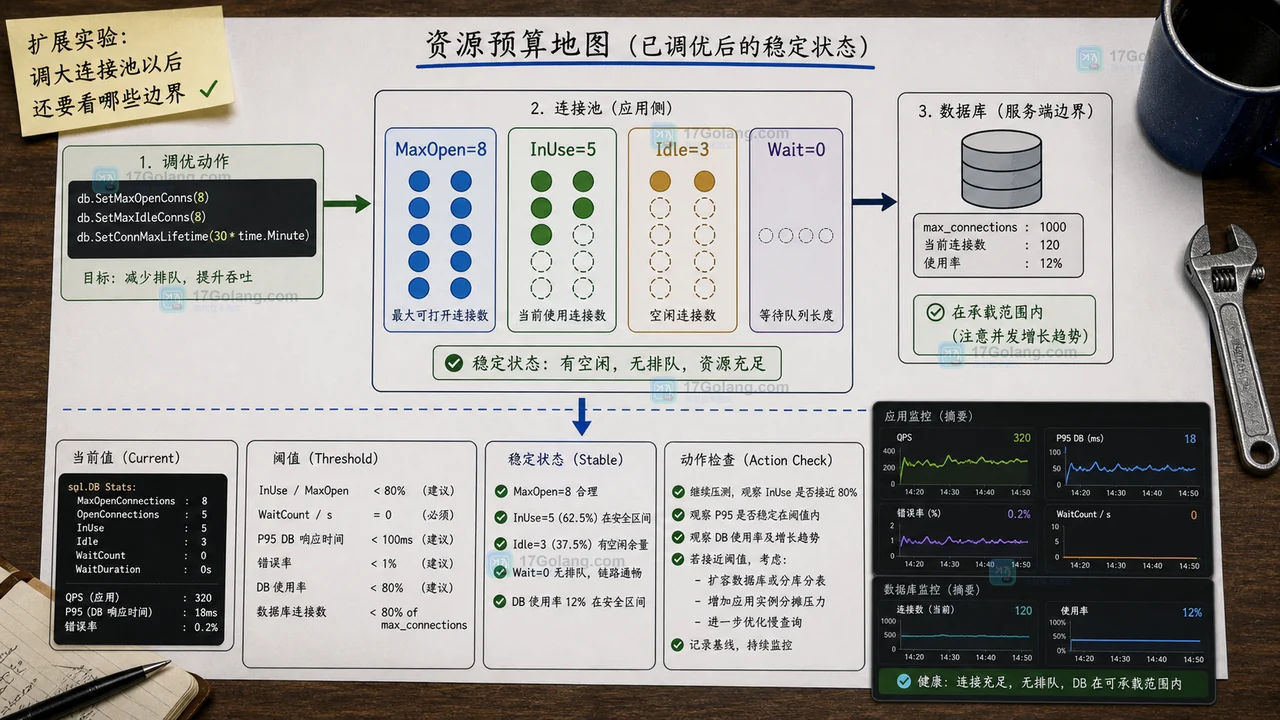
- Golang · Go问答 | 1天前 | 连接池 · 性能排查 · database/sql · Go问答 · Go 连接池 DBStats sql.DB WaitCount SetMaxOpenConns
- Go sql.DB WaitCount 为什么增长:用小实验看连接池预算怎么调
- 214浏览 收藏
-
![Go nil slice 为什么 JSON 是 null:接口数组字段统一成 [] 的迁移清单](/uploads/20260628/1782577125-go-nil-slice-json-diff.webp)
- Golang · Go问答 | 3天前 | JSON · 接口设计 · Go问答 · nil slice · Go 接口兼容 json.Marshal nil slice empty slice 数组字段
- Go nil slice 为什么 JSON 是 null:接口数组字段统一成 [] 的迁移清单
- 305浏览 收藏
-

- 前端进阶之JavaScript设计模式
- 设计模式是开发人员在软件开发过程中面临一般问题时的解决方案,代表了最佳的实践。本课程的主打内容包括JS常见设计模式以及具体应用场景,打造一站式知识长龙服务,适合有JS基础的同学学习。
- 543次学习
-

- GO语言核心编程课程
- 本课程采用真实案例,全面具体可落地,从理论到实践,一步一步将GO核心编程技术、编程思想、底层实现融会贯通,使学习者贴近时代脉搏,做IT互联网时代的弄潮儿。
- 516次学习
-

- 简单聊聊mysql8与网络通信
- 如有问题加微信:Le-studyg;在课程中,我们将首先介绍MySQL8的新特性,包括性能优化、安全增强、新数据类型等,帮助学生快速熟悉MySQL8的最新功能。接着,我们将深入解析MySQL的网络通信机制,包括协议、连接管理、数据传输等,让
- 500次学习
-

- JavaScript正则表达式基础与实战
- 在任何一门编程语言中,正则表达式,都是一项重要的知识,它提供了高效的字符串匹配与捕获机制,可以极大的简化程序设计。
- 487次学习
-

- 从零制作响应式网站—Grid布局
- 本系列教程将展示从零制作一个假想的网络科技公司官网,分为导航,轮播,关于我们,成功案例,服务流程,团队介绍,数据部分,公司动态,底部信息等内容区块。网站整体采用CSSGrid布局,支持响应式,有流畅过渡和展现动画。
- 485次学习
-

- ljg-skills
- ljg-skills 是李继刚开源的 AI 技能与提示词集合,面向大模型使用者整理了一批可复用的 prompt、角色设定和任务技能模板,适合用于学习提示词设计、搭建个人 AI 工作流和沉淀团队常用智能体能力。
- 3182次使用
-

- MELO音乐
- MELO音乐是一站式AI视频与音乐制作助手,对标suno, udio的高品质体验。提供伴奏生成、原创写词、无损导出、哼唱识曲、混音变声等全套音频与短视频编辑工具。无论是流行Kpop、电音说唱、民谣古风、摇滚儿歌还是商用轻音乐,MELO为你免费谱曲,轻松做同款!
- 2936次使用
-

- UniScribe
- UniScribe 是一款 AI 音视频转文字与内容整理工具,支持上传音频、视频文件或粘贴 YouTube 链接,自动生成转写文本、摘要、思维导图和关键问题,并支持多格式导出,适合会议记录、课程学习、访谈整理和内容创作复盘。
- 2893次使用
-

- 剧云
- 剧云是专业中文剧本创作平台,安全稳定运行十余年,集成AI编剧、剧本医生审核、人物小传、剧情关系图、大纲编写、多人协作、Word导入导出、版权管控功能,数据安全防护,轻松高效创作剧本。
- 3098次使用
-

- 万象有声
- 万象有声,一个专为有声创作者打造的新一代智能有声内容创作平台。平台提供专业的智能拆章、智能画本编辑、AI配音、AI生成音效、后期制作、智能对轨、智能审听等有声创作全流程工具,可以帮助创作者高效、低成本创作出引人入胜的有声作品。立即体验,让有声书制作更简单!
- 3056次使用
-
- 用Nginx反向代理部署go写的网站。
- 2023-01-17 502浏览
-
- GoLand调式动态执行代码
- 2023-01-13 502浏览
-
- 从不同的 go 例程将数据写入同一通道无需等待组即可正常工作
- 2024-04-29 501浏览
-
- Golang rsa-oaep解密失败,前端使用webcrypto
- 2024-04-26 501浏览
-
- 如何从用户输入以惰性方式初始化包的全局变量?
- 2024-04-24 501浏览


