
Go html/template 模板的使用实例详解
怎么入门Golang编程?需要学习哪些知识点?这是新手们刚接触编程时常见的问题;下面golang学习网就来给大家整理分享一些知识点,希望能够给初学者一些帮助。本篇文章就来介绍《Go html/template 模板的使用实例详解》,涉及到html模板、template模板,有需要的可以收藏一下
从字符串载入模板
我们可以定义模板字符串,然后载入并解析渲染:
template.New(tplName string).Parse(tpl string)
// 从字符串模板构建
tplStr := `
  {{ .Name }} {{ .Age }}
`
// if parse failed Must will render a panic error
tpl := template.Must(template.New("tplName").Parse(tplStr))
tpl.Execute(os.Stdout, map[string]interface{}{Name: "big_cat", Age: 29})
从文件载入模板
模板语法
模板文件,建议为每个模板文件显式的定义模板名称: {{ define "tplName" }} ,否则会因模板对象名与模板名不一致,无法解析(条件分支很多,不如按一种标准写法实现),另展示一些基本的模板语法。
- 使用 {{ define "tplName" }} 定义模板名
- 使用 {{ template "tplName" . }} 引入其他模板
- 使用 . 访问当前数据域:比如 range 里使用 . 访问的其实是循环项的数据域
- 使用 $. 访问绝对顶层数据域
views/header.html
{{ define "header" }}


  {{ .PageTitle }}
{{ end }}
views/footer.html
{{ define "footer" }}

{{ end }}
views/index/index.html
{{ define "index/index" }}
  {{/*引用其他模板 注意后面的 . */}}
  {{ template "header" . }}


    hello, {{ .Name }}, age {{ .Age }}


  {{ template "footer" . }}
{{ end }}
views/news/index.html
{{ define "news/index" }}
{{ template "header" . }}
{{/* 页面变量定义 */}}
{{ $pageTitle := "news title" }}
{{ $pageTitleLen := len $pageTitle }}
{{/* 长度 > 4 才输出 eq ne gt lt ge le */}}
{{ if gt $pageTitleLen 4 }}
{{ $pageTitle }}
{{ end }}
{{ $c1 := gt 4 3}}
{{ $c2 := lt 2 3 }}
{{/*and or not 条件必须为标量值 不能是逻辑表达式 如果需要逻辑表达式请先求值*/}}
{{ if and $c1 $c2 }}
1 == 1 3 > 2 4
{{ end }}
{{ range .List }}
{{ $title := .Title }}
{{/* .Title 上下文变量调用 func param1 param2 方法/函数调用 $.根节点变量调用 */}}
- {{ $title }} -- {{ .CreatedAt.Format "2006-01-02 15:04:05" }} -- Author {{ $.Author }}
{{end}}
{{/* !empty Total 才输出*/}}
{{ with .Total }}
总数:{{ . }}
{{ end }}
{{ template "footer" . }}
{{ end }}
template.ParseFiles
手动定义需要载入的模板文件,解析后制定需要渲染的模板名 news/index 。
// 从模板文件构建
tpl := template.Must(
  template.ParseFiles(
    "views/index/index.html",
    "views/news/index.html",
    "views/header.html",
    "views/footer.html",
  ),
)

// render template with tplName index
_ = tpl.ExecuteTemplate(
  os.Stdout,
  "index/index",
  map[string]interface{}{
    PageTitle: "首页",
    Name: "big_cat",
    Age: 29,
  },
)
// render template with tplName index
_ = tpl.ExecuteTemplate(
  os.Stdout,
  "news/index",
  map[string]interface{}{
    "PageTitle": "新闻",
    "List": []struct {
      Title   string
      CreatedAt time.Time
    }{
      {Title: "this is golang views/template example", CreatedAt: time.Now()},
      {Title: "to be honest, i don't very like this raw engine", CreatedAt: time.Now()},
    },
    "Total": 1,
    "Author": "big_cat",
  },
)
template.ParseGlob
手动的指定每一个模板文件,在一些场景下难免难以满足需求,我们可以使用通配符正则匹配载入。
1、正则不应包含文件夹,否则会因文件夹被作为视图载入无法解析而报错
2、可以设定多个模式串,如下我们载入了一级目录和二级目录的视图文件
// 从模板文件构建
tpl := template.Must(template.ParseGlob("views/*.html"))
template.Must(tpl.ParseGlob("views/*/*.html"))
// render template with tplName index
// render template with tplName index
_ = tpl.ExecuteTemplate(
  os.Stdout,
  "index/index",
  map[string]interface{}{
    PageTitle: "首页",
    Name: "big_cat",
    Age: 29,
  },
)
// render template with tplName index
_ = tpl.ExecuteTemplate(
  os.Stdout,
  "news/index",
  map[string]interface{}{
    "PageTitle": "新闻",
    "List": []struct {
      Title   string
      CreatedAt time.Time
    }{
      {Title: "this is golang views/template example", CreatedAt: time.Now()},
      {Title: "to be honest, i don't very like this raw engine", CreatedAt: time.Now()},
    },
    "Total": 1,
    "Author": "big_cat",
  },
)
Web服务器
结合模板库和 Gin 实现一个可以使用模板渲染并返回 html 页面的 web 服务。
package main

import (
  "html/template"
  "log"
  "net/http"
  "time"
)

var (
  htmlTplEngine  *template.Template
  htmlTplEngineErr error
)

func init() {
  // 初始化模板引擎 并加载各层级的模板文件
  // 注意 views/* 不会对子目录递归处理 且会将子目录匹配 作为模板处理造成解析错误
  // 若存在与模板文件同级的子目录时 应指定模板文件扩展名来防止目录被作为模板文件处理
  // 然后通过 view/*/*.html 来加载 view 下的各子目录中的模板文件
  htmlTplEngine = template.New("htmlTplEngine")

  // 模板根目录下的模板文件 一些公共文件
  _, htmlTplEngineErr = htmlTplEngine.ParseGlob("views/*.html")
  if nil != htmlTplEngineErr {
    log.Panic(htmlTplEngineErr.Error())
  }
  // 其他子目录下的模板文件
  _, htmlTplEngineErr = htmlTplEngine.ParseGlob("views/*/*.html")
  if nil != htmlTplEngineErr {
    log.Panic(htmlTplEngineErr.Error())
  }

}

// index
func IndexHandler(w http.ResponseWriter, r *http.Request) {
  _ = htmlTplEngine.ExecuteTemplate(
    w,
    "index/index",
    map[string]interface{}{"PageTitle": "首页", "Name": "sqrt_cat", "Age": 25},
  )
}

// news
func NewsHandler(w http.ResponseWriter, r *http.Request) {
  _ = htmlTplEngine.ExecuteTemplate(
    w,
    "news/index",
    map[string]interface{}{
      "PageTitle": "新闻",
      "List": []struct {
        Title   string
        CreatedAt time.Time
      }{
        {Title: "this is golang views/template example", CreatedAt: time.Now()},
        {Title: "to be honest, i don't very like this raw engine", CreatedAt: time.Now()},
      },
      "Total": 1,
      "Author": "big_cat",
    },
  )
}

func main() {
  http.HandleFunc("/", IndexHandler)
  http.HandleFunc("/index", IndexHandler)
  http.HandleFunc("/news", NewsHandler)

  serverErr := http.ListenAndServe(":8085", nil)

  if nil != serverErr {
    log.Panic(serverErr.Error())
  }
}
注意 :模板对象是有名字属性的, template.New("tplName") ,如果没有显示的定义名字,则会使用第一个被载入的视图文件的 baseName 做默认名,比如我们使用 template.ParseFiles/template.ParseGlob 直接生成模板对象时,没有指定模板对象名,则会使用第一个被载入的文件,比如 views/index/index.html 的 baseName 即 index.html 做默认名,而后如果 tplObj.Execute 方法执行渲染时,会去查找名为 index.html 的模板,所以常用的还是 tplObj.ExecuteTemplate 自己指定要渲染的模板名,省的一团乱。
以上就是《Go html/template 模板的使用实例详解》的详细内容,更多关于golang的资料请关注golang学习网公众号!
 对Golang import 导入包语法详解
- 上一篇
- 对Golang import 导入包语法详解

- 下一篇
- go流程控制代码详解
-

- 感动的发夹
- 这篇技术贴出现的刚刚好,太全面了,受益颇多,码住,关注up主了!希望up主能多写Golang相关的文章。
- 2022-12-30 12:46:26
-
- 害羞的夕阳
- 真优秀,一直没懂这个问题,但其实工作中常常有遇到...不过今天到这,帮助很大,总算是懂了,感谢作者大大分享文章内容!
- 2022-12-28 07:53:39
-
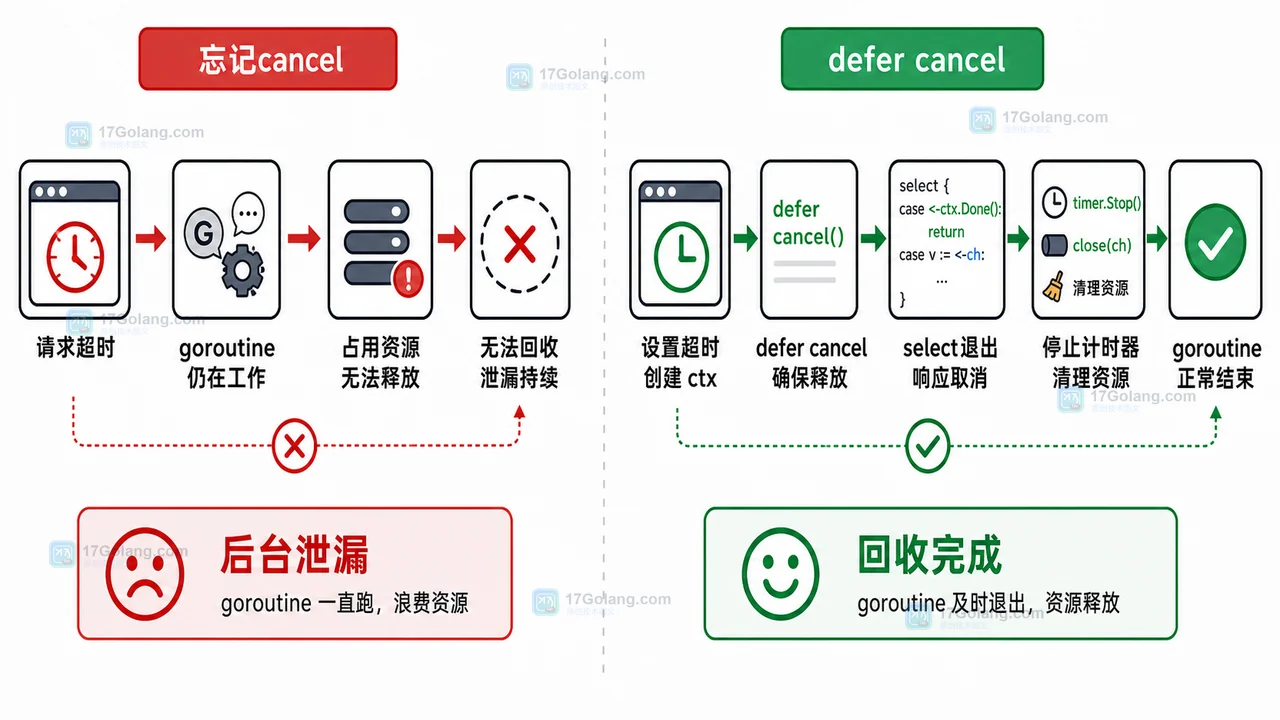
- Golang · Go教程 | 16小时前 | goroutine · Context · 超时控制 · Go教程 · 后端开发 · Go Goroutine context 超时控制 WithTimeout Done QueryContext
- Go context 超时控制实战:从接口入口到 goroutine 回收的完整流程
- 166浏览 收藏
-
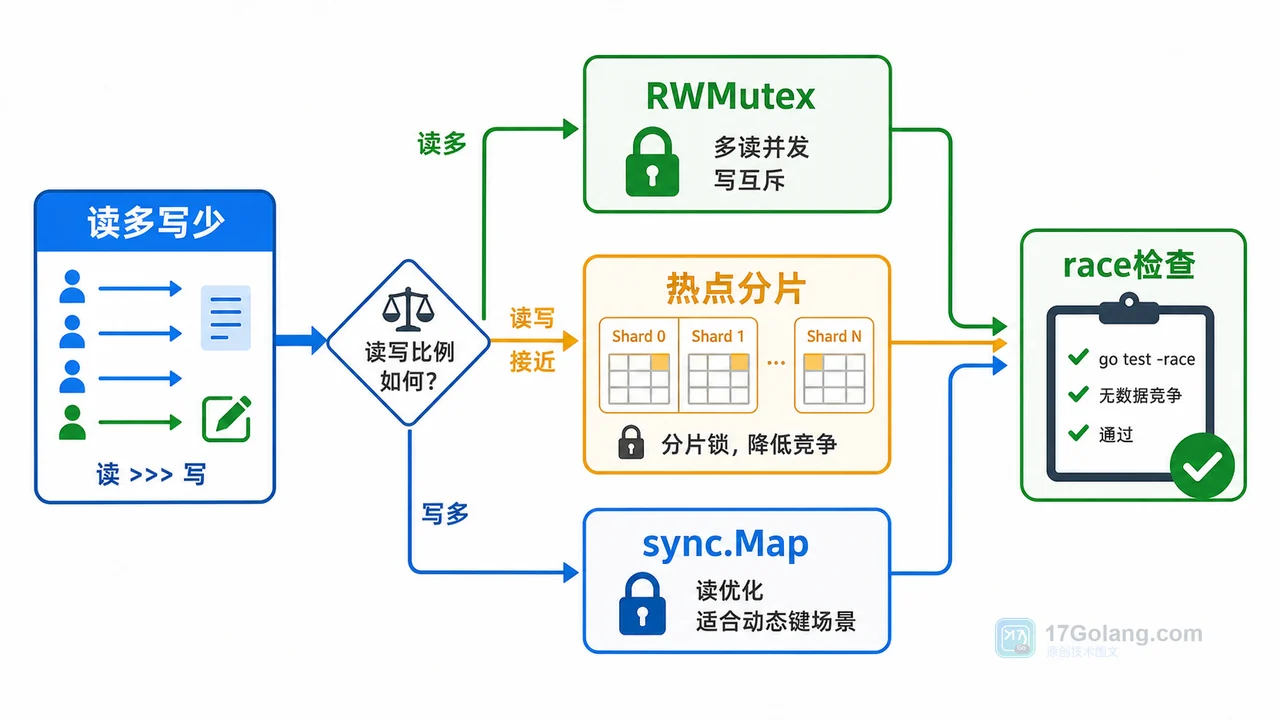
- Golang · Go教程 | 2天前 | map · 并发安全 · RWMutex · sync.Map · Go教程 · 并发安全 RWMutex sync.Map Go map并发读写 go test race
- Go map 并发读写崩溃怎么办:从复现报错到 RWMutex 修复的完整流程
- 272浏览 收藏
-
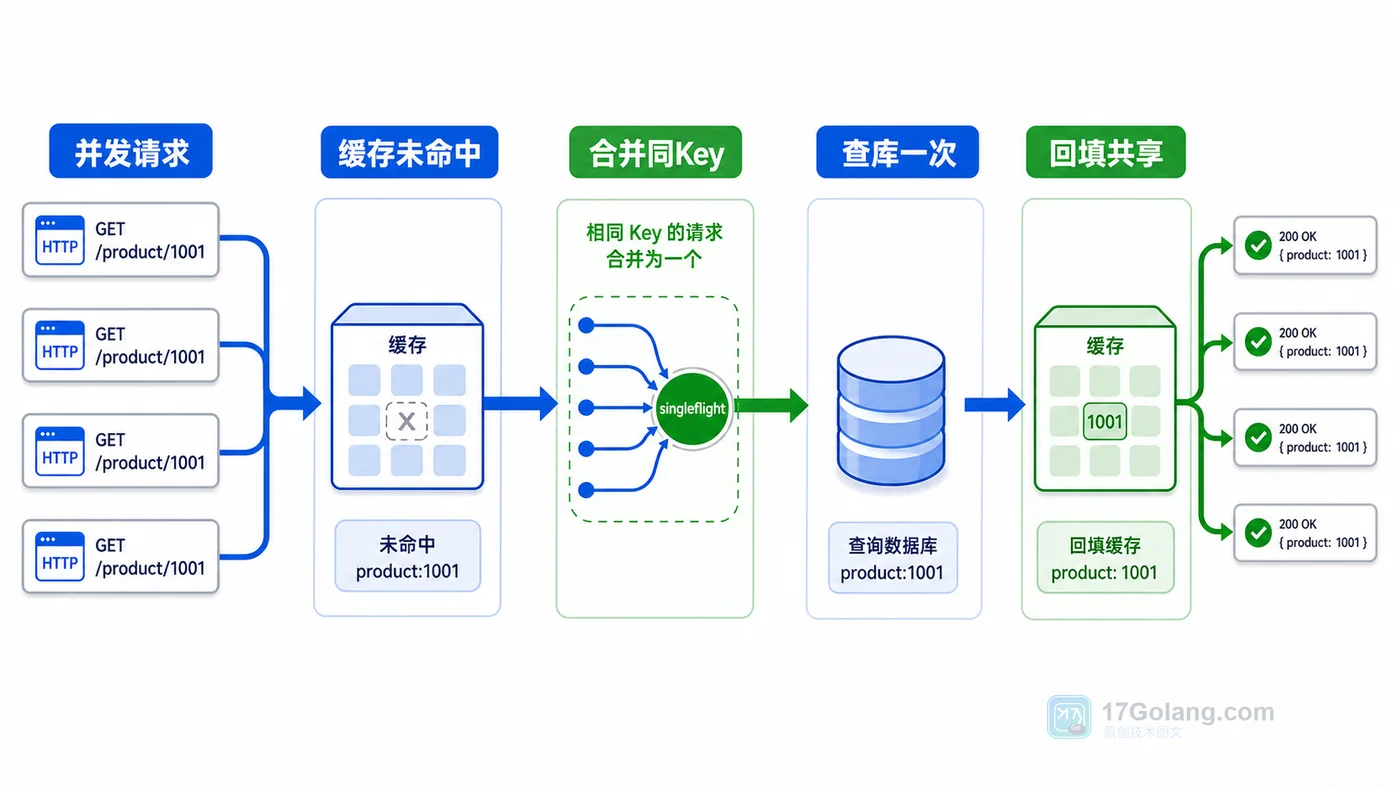
- Golang · Go教程 | 4天前 | singleflight · 并发控制 · Go教程 · 缓存治理 · 接口优化 · Go 并发请求 缓存击穿 singleflight 缓存回填
- Go singleflight 防缓存击穿实战:相同请求只查一次数据库
- 114浏览 收藏
-

- 前端进阶之JavaScript设计模式
- 设计模式是开发人员在软件开发过程中面临一般问题时的解决方案,代表了最佳的实践。本课程的主打内容包括JS常见设计模式以及具体应用场景,打造一站式知识长龙服务,适合有JS基础的同学学习。
- 543次学习
-

- GO语言核心编程课程
- 本课程采用真实案例,全面具体可落地,从理论到实践,一步一步将GO核心编程技术、编程思想、底层实现融会贯通,使学习者贴近时代脉搏,做IT互联网时代的弄潮儿。
- 516次学习
-

- 简单聊聊mysql8与网络通信
- 如有问题加微信:Le-studyg;在课程中,我们将首先介绍MySQL8的新特性,包括性能优化、安全增强、新数据类型等,帮助学生快速熟悉MySQL8的最新功能。接着,我们将深入解析MySQL的网络通信机制,包括协议、连接管理、数据传输等,让
- 500次学习
-

- JavaScript正则表达式基础与实战
- 在任何一门编程语言中,正则表达式,都是一项重要的知识,它提供了高效的字符串匹配与捕获机制,可以极大的简化程序设计。
- 487次学习
-

- 从零制作响应式网站—Grid布局
- 本系列教程将展示从零制作一个假想的网络科技公司官网,分为导航,轮播,关于我们,成功案例,服务流程,团队介绍,数据部分,公司动态,底部信息等内容区块。网站整体采用CSSGrid布局,支持响应式,有流畅过渡和展现动画。
- 485次学习
-

- ljg-skills
- ljg-skills 是李继刚开源的 AI 技能与提示词集合,面向大模型使用者整理了一批可复用的 prompt、角色设定和任务技能模板,适合用于学习提示词设计、搭建个人 AI 工作流和沉淀团队常用智能体能力。
- 534次使用
-

- MELO音乐
- MELO音乐是一站式AI视频与音乐制作助手,对标suno, udio的高品质体验。提供伴奏生成、原创写词、无损导出、哼唱识曲、混音变声等全套音频与短视频编辑工具。无论是流行Kpop、电音说唱、民谣古风、摇滚儿歌还是商用轻音乐,MELO为你免费谱曲,轻松做同款!
- 547次使用
-

- UniScribe
- UniScribe 是一款 AI 音视频转文字与内容整理工具,支持上传音频、视频文件或粘贴 YouTube 链接,自动生成转写文本、摘要、思维导图和关键问题,并支持多格式导出,适合会议记录、课程学习、访谈整理和内容创作复盘。
- 504次使用
-

- 剧云
- 剧云是专业中文剧本创作平台,安全稳定运行十余年,集成AI编剧、剧本医生审核、人物小传、剧情关系图、大纲编写、多人协作、Word导入导出、版权管控功能,数据安全防护,轻松高效创作剧本。
- 681次使用
-

- 万象有声
- 万象有声,一个专为有声创作者打造的新一代智能有声内容创作平台。平台提供专业的智能拆章、智能画本编辑、AI配音、AI生成音效、后期制作、智能对轨、智能审听等有声创作全流程工具,可以帮助创作者高效、低成本创作出引人入胜的有声作品。立即体验,让有声书制作更简单!
- 662次使用
-
- Java 性能优化上线清单:从定位、改造到灰度发布
- 2026-06-11 860浏览
-
- Spring Boot 压测验证:Gatling、JMeter 与性能回归门禁
- 2026-06-11 843浏览
-
- Java NMT 非堆内存排查:Direct Buffer、线程栈与 Metaspace 分析
- 2026-06-11 826浏览
-
- Spring Boot 容器内存优化:JVM 堆、非堆与 MaxRAMPercentage
- 2026-06-11 809浏览
-
- Tomcat 连接与线程参数调优:maxThreads、acceptCount 与 KeepAlive
- 2026-06-11 792浏览


