
使用 React 构建食谱查找器网站
“纵有疾风来,人生不言弃”,这句话送给正在学习文章的朋友们,也希望在阅读本文《使用 React 构建食谱查找器网站》后,能够真的帮助到大家。我也会在后续的文章中,陆续更新文章相关的技术文章,有好的建议欢迎大家在评论留言,非常感谢!

介绍
在本博客中,我们将使用 react 构建一个食谱查找网站。该应用程序允许用户搜索他们最喜欢的食谱,查看趋势或新食谱,并保存他们最喜欢的食谱。我们将利用 edamam api 获取实时食谱数据并将其动态显示在网站上。
项目概况
食谱查找器允许用户:
- 按名称搜索食谱。
- 查看趋势和新添加的食谱。
- 查看各个食谱的详细信息。
- 将食谱添加到收藏夹列表并使用 localstorage 保存数据。
特征
- 搜索功能:用户可以通过输入查询来搜索食谱。
- 热门食谱:显示来自 api 的当前热门食谱。
- 新菜谱:显示来自 api 的最新菜谱。
- 食谱详细信息:显示有关所选食谱的详细信息。
- 收藏夹:允许用户将食谱添加到收藏夹列表,该列表保存在本地。
使用的技术
- react:用于构建用户界面。
- react router:用于不同页面之间的导航。
- edamam api:用于获取食谱。
- css:用于设计应用程序的样式。
项目结构
src/
│
├── components/
│   └── navbar.js
│
├── pages/
│   ├── home.js
│   ├── about.js
│   ├── trending.js
│   ├── newrecipe.js
│   ├── recipedetail.js
│   ├── contact.js
│   └── favorites.js
│
├── app.js
├── index.js
├── app.css
└── index.css
安装
要在本地运行此项目,请按照以下步骤操作:
- 克隆存储库:
   git clone https://github.com/abhishekgurjar-in/recipe-finder.git
   cd recipe-finder
- 安装依赖项:
npm install
- 启动 react 应用程序:
npm start
从 edamam 网站获取您的 edamam api 凭证(api id 和 api 密钥)。
在进行 api 调用的页面中添加您的 api 凭据,例如 home.js、trending.js、newrecipe.js 和 recipedetail.js。
用法
应用程序.js
import react from "react";
import navbar from "./components/navbar";
import { route, routes } from "react-router-dom";
import "./app.css";
import home from "./pages/home";
import about from "./pages/about";
import trending from "./pages/trending";
import newrecipe from "./pages/newrecipe";
import recipedetail from "./pages/recipedetail";
import contact from "./pages/contact";
import favorites from "./pages/favorites";
const app = () => {
return (
<>
} />
} />
made with ❤️ by abhishek gurjar
);
};
export default app;
主页.js
这是用户可以使用 edamam api 搜索食谱的主页。
import react, { usestate, useref, useeffect } from "react";
import { iosearch } from "react-icons/io5";
import { link } from "react-router-dom";
const home = () => {
const [query, setquery] = usestate("");
const [recipe, setrecipe] = usestate([]);
const recipesectionref = useref(null);
const api_id = "2cbb7807";
const api_key = "17222f5be3577d4980d6ee3bb57e9f00";
const getrecipe = async () => {
if (!query) return; // add a check to ensure the query is not empty
const response = await fetch(
`https://api.edamam.com/search?q=${query}&app_id=${api_id}&app_key=${api_key}`
);
const data = await response.json();
setrecipe(data.hits);
console.log(data.hits);
};
// use useeffect to detect changes in the recipe state and scroll to the recipe section
useeffect(() => {
if (recipe.length > 0 && recipesectionref.current) {
recipesectionref.current.scrollintoview({ behavior: "smooth" });
}
}, [recipe]);
// handle key down event to trigger getrecipe on enter key press
const handlekeydown = (e) => {
if (e.key === "enter") {
getrecipe();
}
};
return (
find your favourite recipe
setquery(e.target.value)}
onkeydown={handlekeydown} // add the onkeydown event handler
/>

{item.recipe.label}
))}
);
};
export default home;
trending.js
此页面获取并显示趋势食谱。
import react, { usestate, useeffect } from "react";
import { link } from "react-router-dom";
const trending = () => {
const [trendingrecipes, settrendingrecipes] = usestate([]);
const [loading, setloading] = usestate(true);
const [error, seterror] = usestate(null);
const api_id = "2cbb7807";
const api_key = "17222f5be3577d4980d6ee3bb57e9f00";
useeffect(() => {
const fetchtrendingrecipes = async () => {
try {
const response = await fetch(
`https://api.edamam.com/api/recipes/v2?type=public&q=trending&app_id=${api_id}&app_key=${api_key}`
);
if (!response.ok) {
throw new error("network response was not ok");
}
const data = await response.json();
settrendingrecipes(data.hits);
setloading(false);
} catch (error) {
seterror("failed to fetch trending recipes");
setloading(false);
}
};
fetchtrendingrecipes();
}, []);
if (loading)
return (
);
if (error) return {error};
return (
trending recipes
{trendingrecipes.map((item, index) => (
{item.recipe.label}
))}
);
};
export default trending;
新菜谱.js
此页面获取新食谱并显示新食谱。
import react, { usestate, useeffect } from "react";
import { link } from "react-router-dom";
const newrecipe = () => {
const [newrecipes, setnewrecipes] = usestate([]);
const [loading, setloading] = usestate(true);
const [error, seterror] = usestate(null);
const api_id = "2cbb7807";
const api_key = "17222f5be3577d4980d6ee3bb57e9f00";
useeffect(() => {
const fetchnewrecipes = async () => {
try {
const response = await fetch(
`https://api.edamam.com/api/recipes/v2?type=public&q=new&app_id=${api_id}&app_key=${api_key}`
);
if (!response.ok) {
throw new error("network response was not ok");
}
const data = await response.json();
setnewrecipes(data.hits);
setloading(false);
} catch (error) {
seterror("failed to fetch new recipes");
setloading(false);
}
};
fetchnewrecipes();
}, []);
if (loading)
return (
);
if (error) return {error};
return (
new recipes
{newrecipes.map((item, index) => (
{item.recipe.label}
))}
);
};
export default newrecipe;
主页.js
此页面获取并显示主页和搜索的食谱。
import react, { usestate, useref, useeffect } from "react";
import { iosearch } from "react-icons/io5";
import { link } from "react-router-dom";
const home = () => {
const [query, setquery] = usestate("");
const [recipe, setrecipe] = usestate([]);
const recipesectionref = useref(null);
const api_id = "2cbb7807";
const api_key = "17222f5be3577d4980d6ee3bb57e9f00";
const getrecipe = async () => {
if (!query) return; // add a check to ensure the query is not empty
const response = await fetch(
`https://api.edamam.com/search?q=${query}&app_id=${api_id}&app_key=${api_key}`
);
const data = await response.json();
setrecipe(data.hits);
console.log(data.hits);
};
// use useeffect to detect changes in the recipe state and scroll to the recipe section
useeffect(() => {
if (recipe.length > 0 && recipesectionref.current) {
recipesectionref.current.scrollintoview({ behavior: "smooth" });
}
}, [recipe]);
// handle key down event to trigger getrecipe on enter key press
const handlekeydown = (e) => {
if (e.key === "enter") {
getrecipe();
}
};
return (
find your favourite recipe
setquery(e.target.value)}
onkeydown={handlekeydown} // add the onkeydown event handler
/>
{item.recipe.label}
))}
);
};
export default home;
收藏夹.js
此页面显示最喜欢的食谱。
import react, { usestate, useeffect } from "react";
import { link } from "react-router-dom";
const favorites = () => {
const [favorites, setfavorites] = usestate([]);
useeffect(() => {
const savedfavorites = json.parse(localstorage.getitem("favorites")) || [];
setfavorites(savedfavorites);
}, []);
if (favorites.length === 0) {
return no favorite recipes found.;
}
return (
favorite recipes
{favorites.map((recipe) => (

{recipe.label}
))}
);
};
export default favorites;
recipedetail.js
此页面显示食谱。
import react, { usestate, useeffect } from "react";
import { useparams } from "react-router-dom";
const recipedetail = () => {
const { id } = useparams(); // use react router to get the recipe id from the url
const [recipe, setrecipe] = usestate(null);
const [loading, setloading] = usestate(true);
const [error, seterror] = usestate(null);
const [favorites, setfavorites] = usestate([]);
const api_id = "2cbb7807";
const api_key = "17222f5be3577d4980d6ee3bb57e9f00";
useeffect(() => {
const fetchrecipedetail = async () => {
try {
const response = await fetch(
`https://api.edamam.com/api/recipes/v2/${id}?type=public&app_id=${api_id}&app_key=${api_key}`
);
if (!response.ok) {
throw new error("network response was not ok");
}
const data = await response.json();
setrecipe(data.recipe);
setloading(false);
} catch (error) {
seterror("failed to fetch recipe details");
setloading(false);
}
};
fetchrecipedetail();
}, [id]);
useeffect(() => {
const savedfavorites = json.parse(localstorage.getitem("favorites")) || [];
setfavorites(savedfavorites);
}, []);
const addtofavorites = () => {
const updatedfavorites = [...favorites, recipe];
setfavorites(updatedfavorites);
localstorage.setitem("favorites", json.stringify(updatedfavorites));
};
const removefromfavorites = () => {
const updatedfavorites = favorites.filter(
(fav) => fav.uri !== recipe.uri
);
setfavorites(updatedfavorites);
localstorage.setitem("favorites", json.stringify(updatedfavorites));
};
const isfavorite = favorites.some((fav) => fav.uri === recipe?.uri);
if (loading)
return (
);
if (error) return {error};
return (
{recipe && (
<>
{recipe.label}
ingredients:
{recipe.ingredientlines.map((ingredient, index) => (
- {ingredient}
))}
instructions:
{/* note: edamam api doesn't provide instructions directly. you might need to link to the original recipe url */}
for detailed instructions, please visit the{" "}
recipe instruction
{isfavorite ? (
) : (
)}
)}
);
};
export default recipedetail;
联系方式.js
此页面显示联系页面。
import react, { usestate } from 'react';
const contact = () => {
const [name, setname] = usestate('');
const [email, setemail] = usestate('');
const [message, setmessage] = usestate('');
const [showpopup, setshowpopup] = usestate(false);
const handlesubmit = (e) => {
e.preventdefault();
// prepare the contact details object
const contactdetails = { name, email, message };
// save contact details to local storage
const savedcontacts = json.parse(localstorage.getitem('contacts')) || [];
savedcontacts.push(contactdetails);
localstorage.setitem('contacts', json.stringify(savedcontacts));
// log the form data
console.log('form submitted:', contactdetails);
// clear form fields
setname('');
setemail('');
setmessage('');
// show popup
setshowpopup(true);
};
const closepopup = () => {
setshowpopup(false);
};
return (
contact us
{showpopup && (
thank you!
your message has been submitted successfully.
)}
);
};
export default contact;
关于.js
此页面显示关于页面。
import React from 'react';
const About = () => {
return (
About Us
Welcome to Recipe Finder, your go-to place for discovering delicious recipes from around the world!
Our platform allows you to search for recipes based on your ingredients or dietary preferences. Whether you're looking for a quick meal, a healthy option, or a dish to impress your friends, we have something for everyone.
We use the Edamam API to provide you with a vast database of recipes. You can easily find new recipes, view detailed instructions, and explore new culinary ideas.
Features:
- Search for recipes by ingredient, cuisine, or dietary restriction.
- Browse new and trending recipes.
- View detailed recipe instructions and ingredient lists.
- Save your favorite recipes for quick access.
Our mission is to make cooking enjoyable and accessible. We believe that everyone should have the tools to cook great meals at home.
);
};
export default About;
现场演示
您可以在这里查看该项目的现场演示。
结论
食谱查找网站对于任何想要发现新的和流行食谱的人来说是一个强大的工具。通过利用 react 作为前端和 edamam api 来处理数据,我们可以提供无缝的用户体验。您可以通过添加分页、用户身份验证甚至更详细的过滤选项等功能来进一步自定义此项目。
随意尝试该项目并使其成为您自己的!
制作人员
- api:毛豆
- 图标:react 图标
作者
abhishek gurjar 是一位专注的 web 开发人员,热衷于创建实用且功能性的 web 应用程序。在 github 上查看他的更多项目。
终于介绍完啦!小伙伴们,这篇关于《使用 React 构建食谱查找器网站》的介绍应该让你收获多多了吧!欢迎大家收藏或分享给更多需要学习的朋友吧~golang学习网公众号也会发布文章相关知识,快来关注吧!
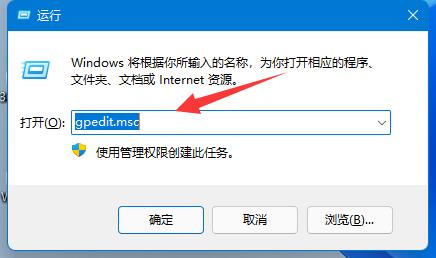 win11用户名怎么更改 win11用户名更改方法
- 上一篇
- win11用户名怎么更改 win11用户名更改方法

- 下一篇
- (更新:机场客服回应)继昨晚之后,天津滨海机场今天晚间再次出现多架航班盘旋
-

- 文章 · 前端 | 18小时前 |
- CSS数字显示统一技巧,OpenType特性应用方法
- 209浏览 收藏
-

- 文章 · 前端 | 18小时前 |
- PerformanceAPI全生命周期预警指南
- 147浏览 收藏
-

- 文章 · 前端 | 18小时前 |
- 一个按钮控制多个状态的实现方式
- 360浏览 收藏
-

- 文章 · 前端 | 18小时前 |
- CSSGrid子元素排序技巧分享
- 155浏览 收藏
-

- 文章 · 前端 | 18小时前 |
- FIMO支持透明度设置吗?
- 393浏览 收藏
-

- 文章 · 前端 | 18小时前 |
- Web组件开发:CustomElements实战教程
- 243浏览 收藏
-

- 文章 · 前端 | 18小时前 |
- CSS无限循环背景动画技巧
- 116浏览 收藏
-

- 文章 · 前端 | 18小时前 | CSS 动画
- CSS文字大小动画不自然怎么优化?
- 126浏览 收藏
-

- 文章 · 前端 | 18小时前 |
- 清除浮动空白间距的实用技巧
- 430浏览 收藏
-

- 文章 · 前端 | 18小时前 |
- JavaScript前端安全核心问题有哪些?
- 109浏览 收藏
-

- 文章 · 前端 | 18小时前 | html
- 自定义图片提交按钮,INPUTTYPE设为IMAGE
- 179浏览 收藏
-

- 文章 · 前端 | 18小时前 |
- CSS文字压到图片上怎么解决?z-index调整方法
- 126浏览 收藏
-

- 前端进阶之JavaScript设计模式
- 设计模式是开发人员在软件开发过程中面临一般问题时的解决方案,代表了最佳的实践。本课程的主打内容包括JS常见设计模式以及具体应用场景,打造一站式知识长龙服务,适合有JS基础的同学学习。
- 543次学习
-

- GO语言核心编程课程
- 本课程采用真实案例,全面具体可落地,从理论到实践,一步一步将GO核心编程技术、编程思想、底层实现融会贯通,使学习者贴近时代脉搏,做IT互联网时代的弄潮儿。
- 516次学习
-

- 简单聊聊mysql8与网络通信
- 如有问题加微信:Le-studyg;在课程中,我们将首先介绍MySQL8的新特性,包括性能优化、安全增强、新数据类型等,帮助学生快速熟悉MySQL8的最新功能。接着,我们将深入解析MySQL的网络通信机制,包括协议、连接管理、数据传输等,让
- 500次学习
-

- JavaScript正则表达式基础与实战
- 在任何一门编程语言中,正则表达式,都是一项重要的知识,它提供了高效的字符串匹配与捕获机制,可以极大的简化程序设计。
- 487次学习
-

- 从零制作响应式网站—Grid布局
- 本系列教程将展示从零制作一个假想的网络科技公司官网,分为导航,轮播,关于我们,成功案例,服务流程,团队介绍,数据部分,公司动态,底部信息等内容区块。网站整体采用CSSGrid布局,支持响应式,有流畅过渡和展现动画。
- 485次学习
-
- ChatExcel酷表
- ChatExcel酷表是由北京大学团队打造的Excel聊天机器人,用自然语言操控表格,简化数据处理,告别繁琐操作,提升工作效率!适用于学生、上班族及政府人员。
- 5901次使用
-

- Any绘本
- 探索Any绘本(anypicturebook.com/zh),一款开源免费的AI绘本创作工具,基于Google Gemini与Flux AI模型,让您轻松创作个性化绘本。适用于家庭、教育、创作等多种场景,零门槛,高自由度,技术透明,本地可控。
- 6331次使用
-

- 可赞AI
- 可赞AI,AI驱动的办公可视化智能工具,助您轻松实现文本与可视化元素高效转化。无论是智能文档生成、多格式文本解析,还是一键生成专业图表、脑图、知识卡片,可赞AI都能让信息处理更清晰高效。覆盖数据汇报、会议纪要、内容营销等全场景,大幅提升办公效率,降低专业门槛,是您提升工作效率的得力助手。
- 6141次使用
-

- 星月写作
- 星月写作是国内首款聚焦中文网络小说创作的AI辅助工具,解决网文作者从构思到变现的全流程痛点。AI扫榜、专属模板、全链路适配,助力新人快速上手,资深作者效率倍增。
- 8112次使用
-

- MagicLight
- MagicLight.ai是全球首款叙事驱动型AI动画视频创作平台,专注于解决从故事想法到完整动画的全流程痛点。它通过自研AI模型,保障角色、风格、场景高度一致性,让零动画经验者也能高效产出专业级叙事内容。广泛适用于独立创作者、动画工作室、教育机构及企业营销,助您轻松实现创意落地与商业化。
- 6611次使用
-
- JavaScript函数定义及示例详解
- 2025-05-11 502浏览
-
- 优化用户界面体验的秘密武器:CSS开发项目经验大揭秘
- 2023-11-03 501浏览
-
- 使用微信小程序实现图片轮播特效
- 2023-11-21 501浏览
-
- 解析sessionStorage的存储能力与限制
- 2024-01-11 501浏览
-
- 探索冒泡活动对于团队合作的推动力
- 2024-01-13 501浏览


