
一文详解CentOS如何安装MYSQL
来源:SegmentFault
2023-01-27 14:07:38
0浏览
收藏
在IT行业这个发展更新速度很快的行业,只有不停止的学习,才不会被行业所淘汰。如果你是数据库学习者,那么本文《一文详解CentOS如何安装MYSQL》就很适合你!本篇内容主要包括一文详解CentOS如何安装MYSQL,希望对大家的知识积累有所帮助,助力实战开发!
CentOS版本
cat /etc/redhat-release
>> CentOS release 5.4 (Final)
系统内核
uname -a
>> Linux test33x.ops.xxx.net 2.6.18-164.el5xen #1 SMP Thu Sep 3 04:03:03 EDT 2009 x86_64 x86_64 x86_64 GNU/Linux
MYSQL下载
下载页面

Select Platform
>> Red Hat Enterprise Linux / Oracle Linux

选择x86_64版本

MySQL-client-5.5.38-1.rhel5.x86_64.rpm
MySQL-server-5.5.38-1.rhel5.x86_64.rpm
MySQL-shared-5.5.38-1.rhel5.x86_64.rpm
卸载旧版本
yum remove mysql mysql-server mysql-libs
rm -rf /var/lib/mysql
rm /etc/my.cnf

rpm -qa|grep mysql //查看是否安装了mysql数据库
>> rpm -e mysql --nodeps
MYSQL安装
rpm -ivh MySQL-client-5.5.38-1.rhel5.x86_64.rpm
rpm -ivh MySQL-server-5.5.38-1.rhel5.x86_64.rpm
rpm -ivh MySQL-shared-5.5.38-1.rhel5.x86_64.rpm
配置
【执行命令】 /usr/bin/mysql_secure_installation

NOTE: RUNNING ALL PARTS OF THIS SCRIPT IS RECOMMENDED FOR ALL MySQL
SERVERS IN PRODUCTION USE!  PLEASE READ EACH STEP CAREFULLY!
In order to log into MySQL to secure it, we'll need the current
password for the root user.  If you've just installed MySQL, and
you haven't set the root password yet, the password will be blank,
so you should just press enter here.

Enter current password for root (enter for none):
OK, successfully used password, moving on...

Setting the root password ensures that nobody can log into the MySQL
root user without the proper authorisation.
You already have a root password set, so you can safely answer 'n'.
Change the root password? [Y/n] Y
New password:
Re-enter new password:
Password updated successfully!
Reloading privilege tables..
... Success!
By default, a MySQL installation has an anonymous user, allowing anyone
to log into MySQL without having to have a user account created for
them.  This is intended only for testing, and to make the installation
go a bit smoother.  You should remove them before moving into a
production environment.
Remove anonymous users? [Y/n] Y
... Success!
Normally, root should only be allowed to connect from 'localhost'.  This
ensures that someone cannot guess at the root password from the network.
Disallow root login remotely? [Y/n] Y
... Success!
By default, MySQL comes with a database named 'test' that anyone can
access.  This is also intended only for testing, and should be removed
before moving into a production environment.
Remove test database and access to it? [Y/n] Y
- Dropping test database...
... Success!
- Removing privileges on test database...
... Success!
Reloading the privilege tables will ensure that all changes made so far
will take effect immediately.
Reload privilege tables now? [Y/n] Y
... Success!
Cleaning up...
All done!  If you've completed all of the above steps, your MySQL
installation should now be secure.
Thanks for using MySQL!
启动MYSQL
service mysql start

>> Starting MySQL.                                            [确定]

service mysql status

>> MySQL running (32239)                                      [确定]

service mysql stop

>> Shutting down MySQL.                                       [确定]
查看服务
chkconfig --list | grep mysql

>> mysql            0:关闭    1:关闭    2:启用    3:启用    4:启用    5:启用    6:关闭

chkconfig mysql on  //设置开机自启动
查看版本
mysql -V

>> mysql  Ver 14.14 Distrib 5.5.38, for Linux (x86_64) using readline 5.1
连接MYSQL
mysql -u root -p

Enter password:
Welcome to the MySQL monitor.  Commands end with ; or g.
Your MySQL connection id is 1
Server version: 5.5.38 MySQL Community Server (GPL)

Copyright (c) 2000, 2014, Oracle and/or its affiliates. All rights reserved.

Oracle is a registered trademark of Oracle Corporation and/or its
affiliates. Other names may be trademarks of their respective
owners.

Type 'help;' or 'h' for help. Type 'c' to clear the current input statement.

mysql>
安装配置完成!
好了,本文到此结束,带大家了解了《一文详解CentOS如何安装MYSQL》,希望本文对你有所帮助!关注golang学习网公众号,给大家分享更多数据库知识!
版本声明
本文转载于:SegmentFault 如有侵犯,请联系study_golang@163.com删除
 分享有关mysql cursor的问题
- 上一篇
- 分享有关mysql cursor的问题

- 下一篇
- 深入解析MySQL My_DBA_Release功能
评论列表
-

- 风中的画笔
- 很好,一直没懂这个问题,但其实工作中常常有遇到...不过今天到这,帮助很大,总算是懂了,感谢老哥分享博文!
- 2023-04-08 13:34:30
-
- 贤惠的故事
- 这篇技术文章出现的刚刚好,太详细了,受益颇多,收藏了,关注作者了!希望作者能多写数据库相关的文章。
- 2023-04-02 17:00:00
-
- 义气的爆米花
- 很详细,mark,感谢师傅的这篇博文,我会继续支持!
- 2023-04-01 23:07:03
-
- 落寞的大象
- 这篇博文真是及时雨啊,楼主加油!
- 2023-03-15 18:37:40
-
- 贪玩的糖豆
- 这篇文章太及时了,好细啊,很有用,已收藏,关注up主了!希望up主能多写数据库相关的文章。
- 2023-02-23 15:26:29
-
- 土豪的小鸽子
- 好细啊,码住,感谢师傅的这篇文章,我会继续支持!
- 2023-02-13 06:00:14
-
- 搞怪的老鼠
- 这篇技术文章真及时,up主加油!
- 2023-02-10 20:14:36
-
- 无限的宝贝
- 太给力了,一直没懂这个问题,但其实工作中常常有遇到...不过今天到这,帮助很大,总算是懂了,感谢up主分享技术文章!
- 2023-02-10 13:36:38
查看更多
最新文章
-
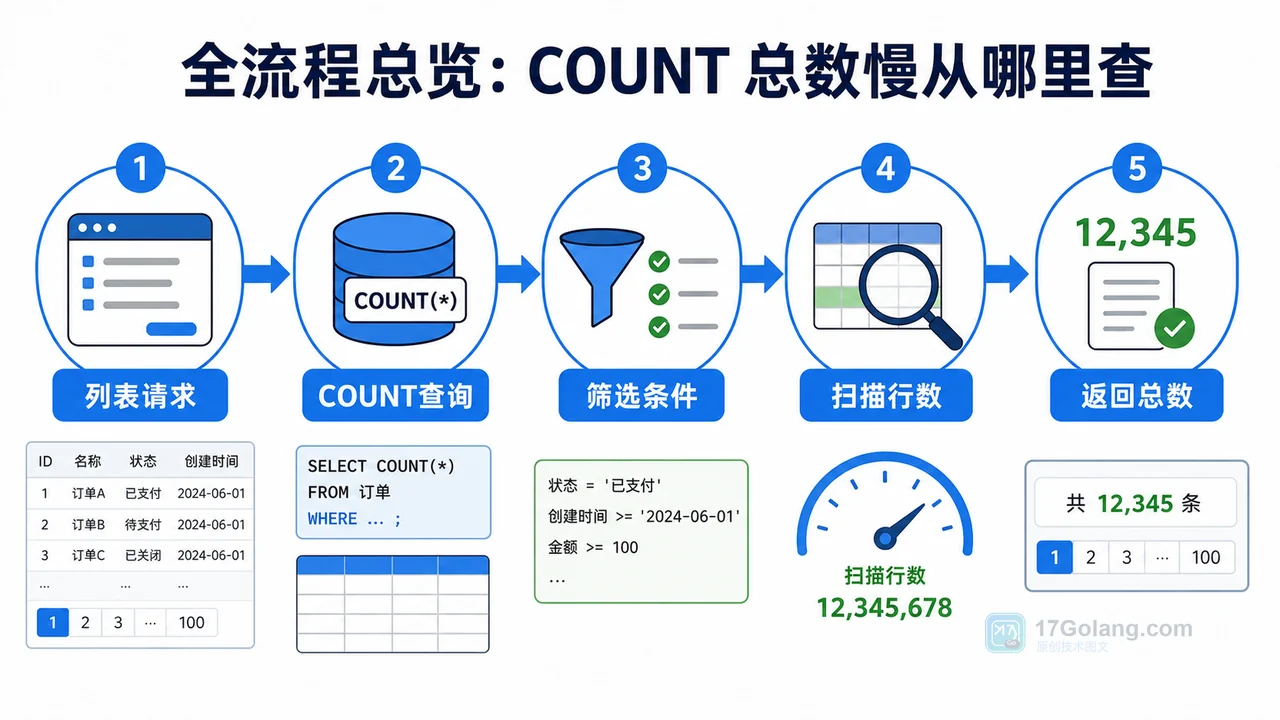
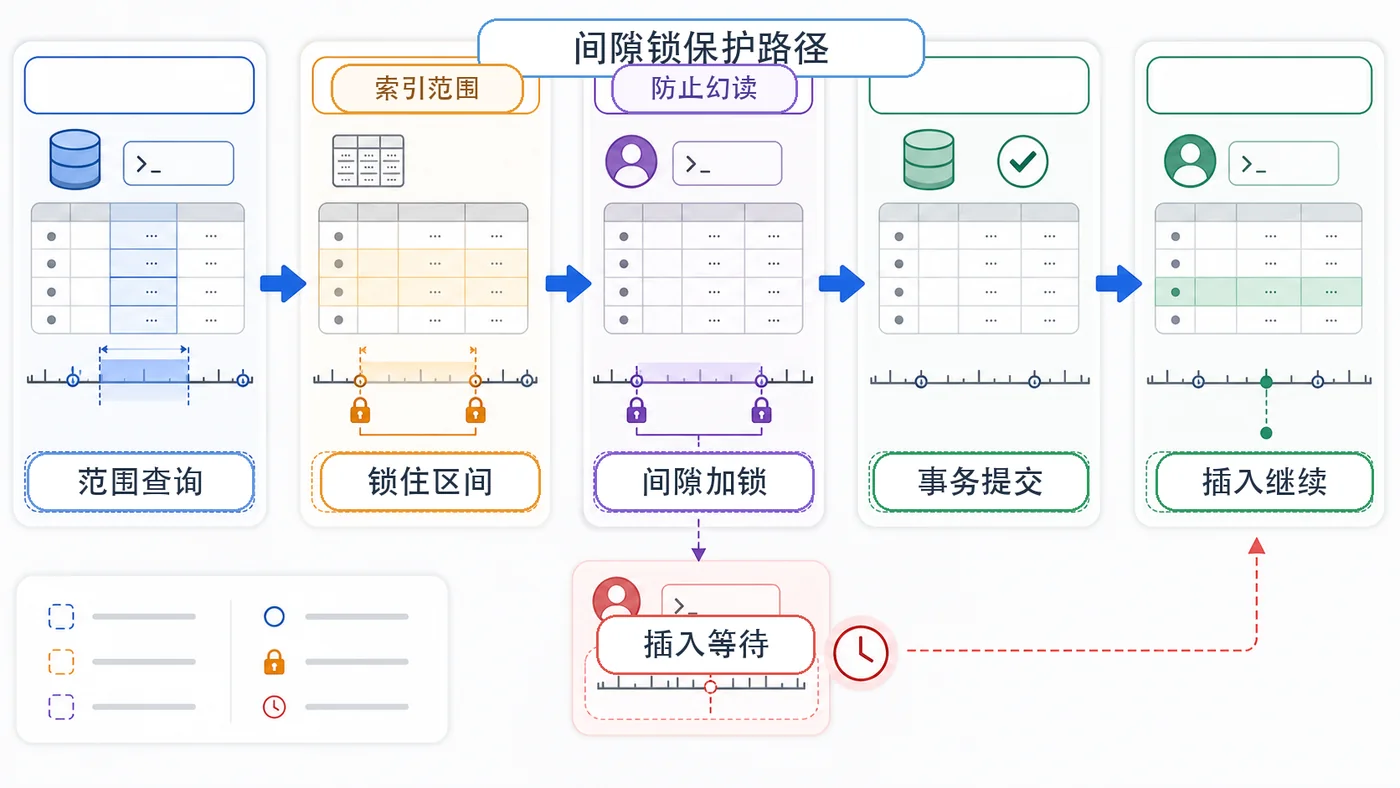
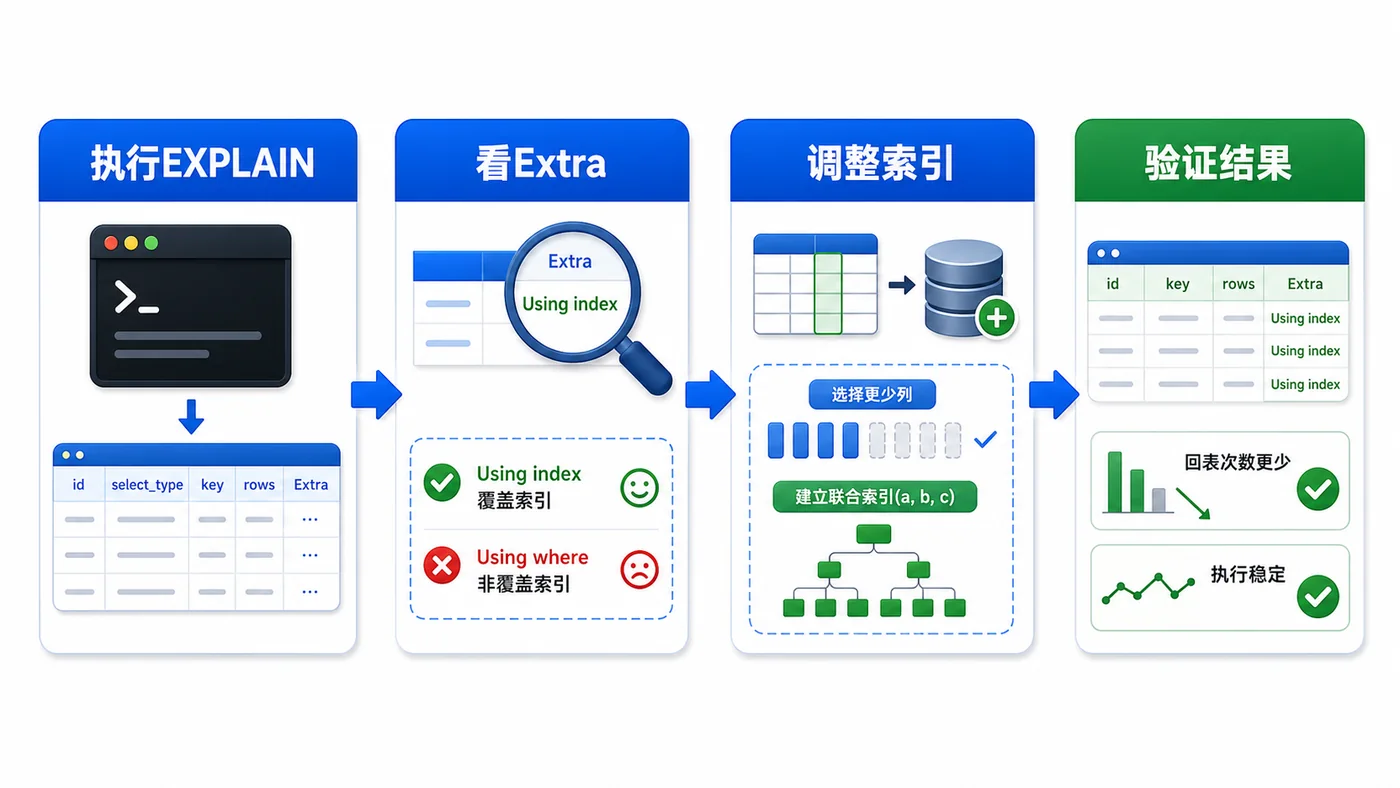
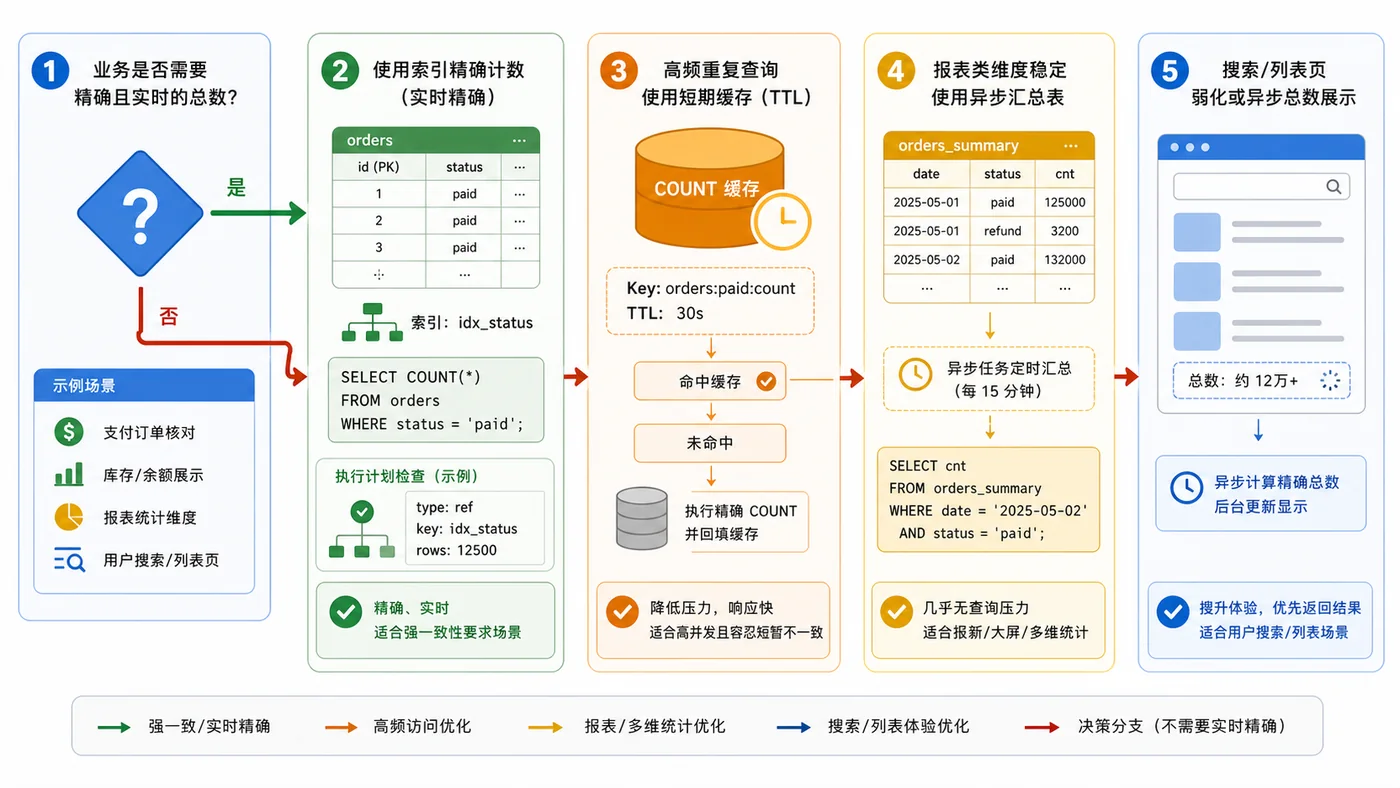
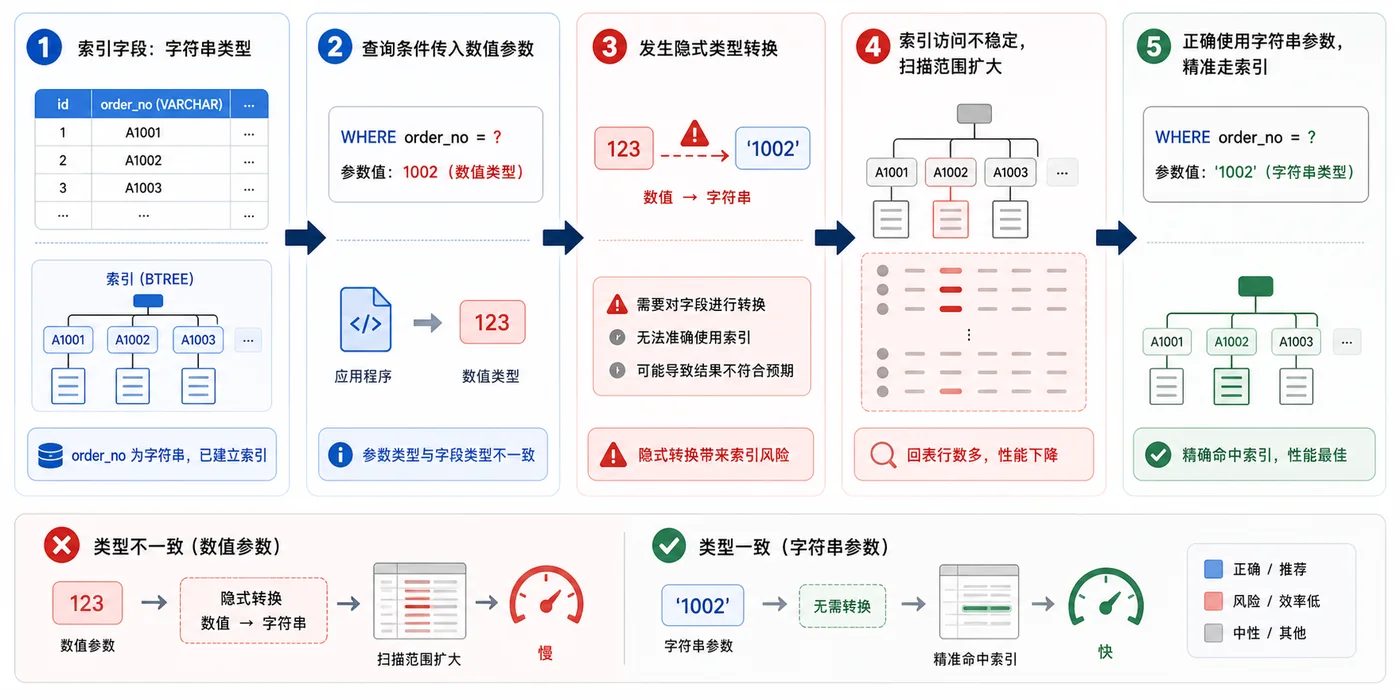
- 数据库 · MySQL | 1星期前 | MySQL · 慢查询 · 索引优化 · COUNT查询 · 汇总表 · 联合索引 覆盖索引 汇总表 MySQL COUNT慢 COUNT(*)优化
- MySQL COUNT(*) 总数查询变慢怎么办:从扫描行数到汇总表的完整治理流程
- 329浏览 收藏
查看更多
课程推荐
-

- 前端进阶之JavaScript设计模式
- 设计模式是开发人员在软件开发过程中面临一般问题时的解决方案,代表了最佳的实践。本课程的主打内容包括JS常见设计模式以及具体应用场景,打造一站式知识长龙服务,适合有JS基础的同学学习。
- 543次学习
-

- GO语言核心编程课程
- 本课程采用真实案例,全面具体可落地,从理论到实践,一步一步将GO核心编程技术、编程思想、底层实现融会贯通,使学习者贴近时代脉搏,做IT互联网时代的弄潮儿。
- 516次学习
-

- 简单聊聊mysql8与网络通信
- 如有问题加微信:Le-studyg;在课程中,我们将首先介绍MySQL8的新特性,包括性能优化、安全增强、新数据类型等,帮助学生快速熟悉MySQL8的最新功能。接着,我们将深入解析MySQL的网络通信机制,包括协议、连接管理、数据传输等,让
- 500次学习
-

- JavaScript正则表达式基础与实战
- 在任何一门编程语言中,正则表达式,都是一项重要的知识,它提供了高效的字符串匹配与捕获机制,可以极大的简化程序设计。
- 487次学习
-

- 从零制作响应式网站—Grid布局
- 本系列教程将展示从零制作一个假想的网络科技公司官网,分为导航,轮播,关于我们,成功案例,服务流程,团队介绍,数据部分,公司动态,底部信息等内容区块。网站整体采用CSSGrid布局,支持响应式,有流畅过渡和展现动画。
- 485次学习
查看更多
AI推荐
-

- ljg-skills
- ljg-skills 是李继刚开源的 AI 技能与提示词集合,面向大模型使用者整理了一批可复用的 prompt、角色设定和任务技能模板,适合用于学习提示词设计、搭建个人 AI 工作流和沉淀团队常用智能体能力。
- 1842次使用
-

- MELO音乐
- MELO音乐是一站式AI视频与音乐制作助手,对标suno, udio的高品质体验。提供伴奏生成、原创写词、无损导出、哼唱识曲、混音变声等全套音频与短视频编辑工具。无论是流行Kpop、电音说唱、民谣古风、摇滚儿歌还是商用轻音乐,MELO为你免费谱曲,轻松做同款!
- 1759次使用
-

- UniScribe
- UniScribe 是一款 AI 音视频转文字与内容整理工具,支持上传音频、视频文件或粘贴 YouTube 链接,自动生成转写文本、摘要、思维导图和关键问题,并支持多格式导出,适合会议记录、课程学习、访谈整理和内容创作复盘。
- 1712次使用
-

- 剧云
- 剧云是专业中文剧本创作平台,安全稳定运行十余年,集成AI编剧、剧本医生审核、人物小传、剧情关系图、大纲编写、多人协作、Word导入导出、版权管控功能,数据安全防护,轻松高效创作剧本。
- 1899次使用
-

- 万象有声
- 万象有声,一个专为有声创作者打造的新一代智能有声内容创作平台。平台提供专业的智能拆章、智能画本编辑、AI配音、AI生成音效、后期制作、智能对轨、智能审听等有声创作全流程工具,可以帮助创作者高效、低成本创作出引人入胜的有声作品。立即体验,让有声书制作更简单!
- 1886次使用
查看更多
相关文章
-
- Linux系统下如何安装Mysql(centOS7以上不支持Mysql)
- 2023-01-16 100浏览
-
- 在windows上用docker desktop安装StoneDB
- 2023-01-20 100浏览
-
- 总结 mysql 一些小技巧
- 2023-01-21 100浏览
-
- MySQL如何给大表加索引
- 2023-01-26 100浏览
-
- 积分商城简要设计
- 2023-02-17 100浏览


